
PDF to long image: every page in one PNG or JPG
Turn a whole PDF into one long image: every page one under the other, in a single PNG or JPG, ready to scroll on a phone, post in a chat or drop into a slide. Open the PDF in Chrome and click FullPage Capture, a free extension that turns a PDF into one long image. The file never leaves your computer.
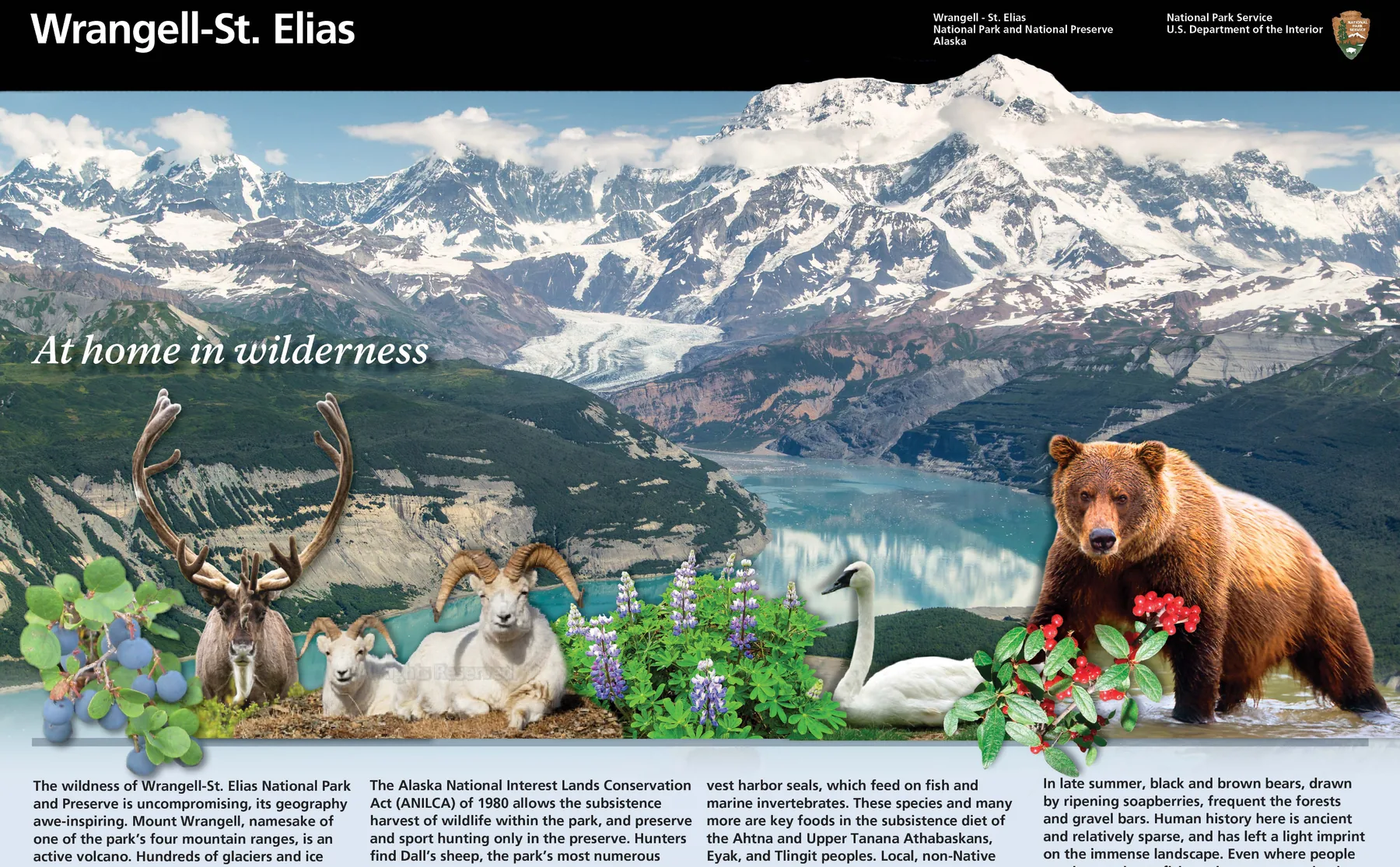
Open a PDF in Chrome and click the icon. Free, no account, nothing is uploaded.
 Add to Chrome
How to convert a PDF to one long image
Install FullPage Capture. From the Chrome Web Store or Edge Add-ons. Free, no account, no watermark.
Allow file access (for PDFs on your computer). Open chrome://extensions, choose Details under FullPage Capture and turn on Allow access to file URLs. Not needed for a PDF opened from a website.
Open the PDF in Chrome. Drag the file into a tab, or open the link. It shows in Chrome's own PDF viewer.
Click the extension icon. Or press Ctrl+Shift+K (⇧⌘K). Every page is drawn one under the other, fit to the width of the tab, as one tall image.
Save PNG or JPG. Or copy the image, crop or mark it up first, or save it back as a single long PDF page.

Why a long image
- Chats and social posts take an image, not a PDF: a menu, a flyer, a short report in one picture.
- Phones scroll a long image smoothly, without a PDF viewer.
- Slides and docs: paste the whole document as one picture, or crop the part you need.
- Mark it up: arrows, highlights and blur over a contract or a statement before you send it.
The extension or an online converter?
| Online PDF to image site | FullPage Capture | |
|---|---|---|
| All pages in one long image | Some sites | Yes |
| File stays on your computer | No | Yes |
| PDFs open in Chrome from a website | NoDownload and upload again | Yes |
| Annotate and blur before saving | No | YesSaving an edited image is Pro |
| One image per page | Yes | No |
| Password-protected files | Sometimes | No |
Questions
Is the PDF uploaded to convert it?
No. The extension draws the PDF itself, in your browser, and saves the image on your computer. Nothing is sent anywhere, which matters for contracts, statements and anything confidential.
How long can the image be?
Up to Chrome's canvas limit of 28,800 pixels per side. A longer document is saved as numbered parts, each one a long image; the editor can join parts back together when the whole fits.
Does it work on a password-protected PDF?
No. A file that asks for a password cannot be captured. Open a copy without the password, if you have the right to, and capture that.
Why does a local PDF show nothing to capture?
Chrome keeps extensions away from files on your computer until you allow it: chrome://extensions, Details under FullPage Capture, Allow access to file URLs.
PNG or JPG?
PNG keeps text sharp, best for documents and slides. JPG is smaller, fine for photos and for sending in a chat. Set the default format in the options.
Can I convert only some pages?
Capture the whole file, then crop the image to the pages you want in the editor (saving an edited image is Pro). Or print the pages you need to a new PDF first and capture that.
Can I turn a PDF into separate images, one per page?
Not with this method, which joins the pages into one image by design. Most PDF viewers can export each page as an image.
Turning HTML rather than a PDF into an image? Use the HTML to PNG converter.
Related
 HTML to PNG and JPG converterPaste HTML or open an .html file, get a PNG or JPG at up to 3x. Free, in the browser, nothing uploaded; live pages go through the extension.
 Save any webpage as a PNG or JPG image, the whole pageWebpage to PNG or JPG in one click: the entire page as one image, exactly as on screen, saved on your computer.
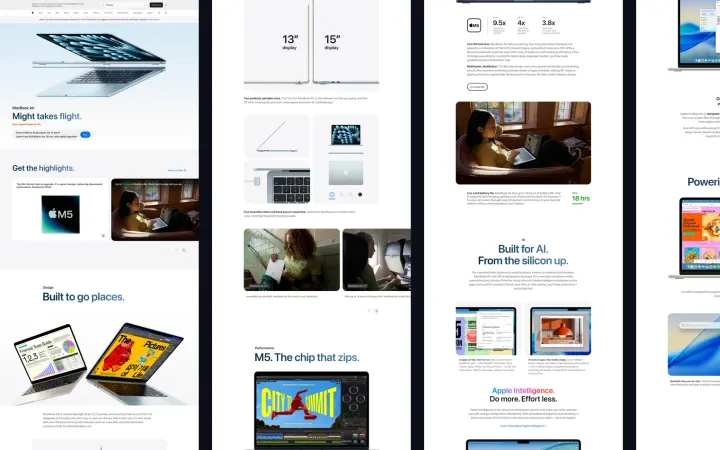 Scrolling screenshot, or long screenshot, of any web page in one clickA long screenshot of the whole page in Chrome or Edge on Windows, Mac, Linux and ChromeOS: sticky headers once, inner panels unrolled, lazy images waited for.