
How to save a LinkedIn profile as a PDF
LinkedIn has a Save to PDF button, and many people cannot find it: it is desktop only, works only for profiles in English, stops after 200 downloads a month, and is not enabled on every account. When it does work, it gives you a plain resume, not your profile. Here is where it is, what else LinkedIn offers, and how to keep a profile exactly as it looks on screen.
The short answer
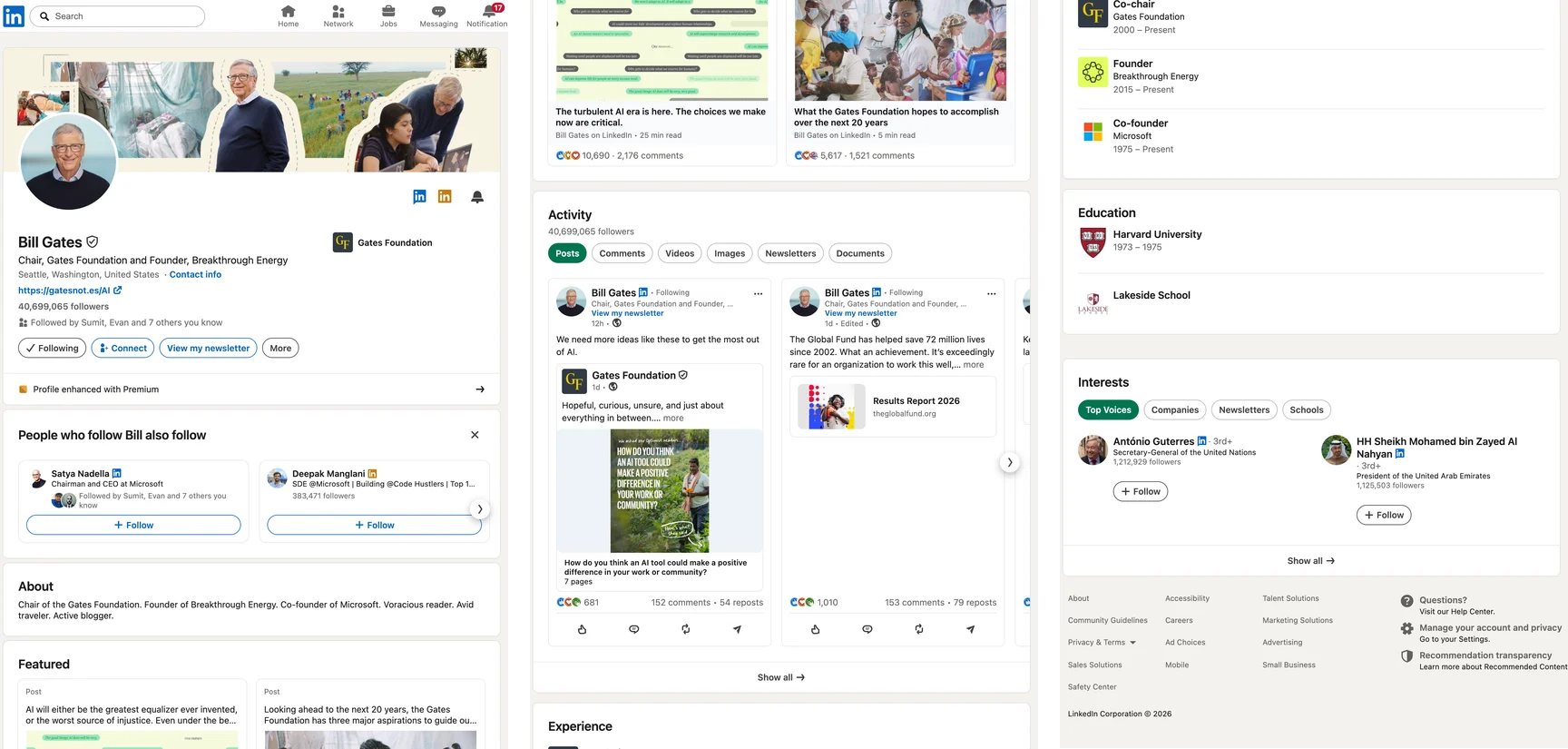
On a computer, open the profile, click More (or Resources) in the intro and choose Save to PDF. If it is not there, or you want the profile as it looks rather than as a resume, capture the page and save the capture as a PDF.
Method 1: LinkedIn's Save to PDF
Open the profile on a computer. Me, then View profile, for your own; or the member's profile. Save to PDF is not in the mobile app.
Find the More (or Resources) button. It sits in the intro section under the name and headline.
Choose Save to PDF. LinkedIn generates the file and your browser downloads it.
LinkedIn's help page sets the limits: not in the mobile app, English profiles only, 200 PDFs a month counting your own and other people's, and it “may not be accessible to all members”. That last line is why so many people search for it. The language rule may be looser than it reads: when we checked on 3 October 2026, the button was there, under Resources, on a profile whose language is set to Russian. The file itself is a text-only resume built from your profile fields: no banner, no Featured section, no activity, none of the layout.
Method 2: print the page
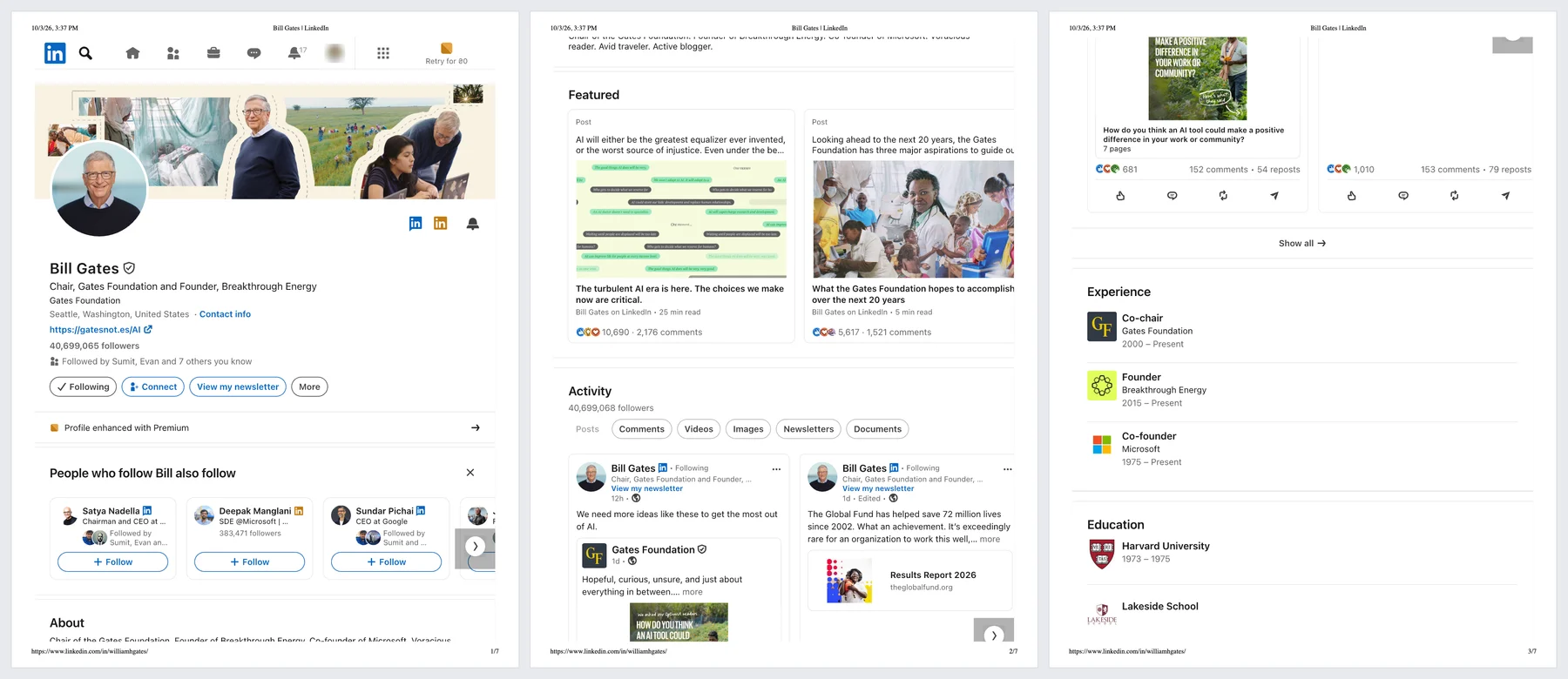
Press Ctrl+P (Cmd+P) on the profile and choose Save as PDF. LinkedIn prints better than most apps: in our test the profile came out on seven Letter pages with the banner, Featured posts, Activity, Experience and Education in order, and the side column moved below the main one. It is a fair copy of the page; what it is not is one picture of it, and folded sections print folded.
Method 3: download your data
Me → Settings & Privacy → Data privacy → Download your data, choose what you want and request the archive. Part of it arrives in minutes, the whole thing within 24 hours, and the link works for 72 hours. You get spreadsheets of your profile, connections and messages: the right thing for a backup or for moving your network elsewhere, and nothing you could send as a profile.
Method 4: capture the profile and save it as a PDF
For a copy of your profile as recruiters see it, for a portfolio, or as a record of what a profile said on a given day, capture the page. These steps are for FullPage Capture, a free extension to save a LinkedIn profile as PDF, which we make.
Install FullPage Capture. From the Chrome Web Store or Edge Add-ons. Free, no account, no watermark.
Open the profile and expand it. Your own (Me, View profile) or the one you are looking at. Click "see more" in About and "Show all" in the sections you want in full, such as Experience or Skills, so they are open on the page.
Click the extension icon. Or press Alt+Shift+K. The page is captured from the banner down to the last section, exactly as it looks.
Save as PDF or PNG. Letter or A4 with breaks between lines, or one long page. Optionally stamp the address and date on it, which helps when the PDF is a record of what a profile said on a given day.
Keep it to what LinkedIn shows you, for your own records: your profile, or a profile you are looking at. LinkedIn's User Agreement forbids scraping, copying profiles in bulk or by automation, and using or republishing members' details without their consent.
Keep a dated PDF of a profile as it looks. Free, no account, nothing is uploaded.
 Add to Chrome
Which method for which job
| Save to PDF | FullPage Capture capture | |
|---|---|---|
| Looks like the profile page | NoText-only resume | Yes |
| Banner, photo, Featured, activity | No | Yes |
| Profiles not in English | No | Yes |
| Monthly limit | 200 PDFs | None |
| Other members' profiles | Yes | For your own records |
| Address and date on the page | No | Yes |
| Selectable text | Yes | Pro |
Questions
Why can't I see Save to PDF on LinkedIn?
LinkedIn lists four reasons a member may not have it: you are on the mobile app (it is desktop only), the profile is not in English, you have used your 200 downloads this month, or it is simply not enabled for your account. Some users report it disappearing for months and coming back; LinkedIn has not announced anything about that.
Is the Save to PDF file the same as my profile?
No. It is a plain, resume-style document generated from your profile text. It leaves out the banner and photo layout, Featured items, activity and the look of the page. To keep the profile as people actually see it, capture it.
Can I save someone else's profile?
LinkedIn's own Save to PDF works on other members' profiles, within its 200-a-month limit. A capture of a profile you are looking at, for your own reference, is the same as a screenshot of it. What LinkedIn's User Agreement forbids is scraping: copying profiles in bulk or by automation, and using or republishing members' information without their consent. Keep captures of other people for yourself.
How do I save a LinkedIn profile as a PDF on my phone?
The app has no Save to PDF and phones do not run browser extensions. Open LinkedIn in a desktop browser, or request your data archive, which also works only on desktop.
What does Download your data give me?
An archive of your account data, mostly as spreadsheets: profile fields, connections, messages and more. Parts arrive within minutes, the full archive within a day, and the link works for 72 hours. It is a data backup, not a document.
Is the capture uploaded anywhere?
No. It is made in your browser and saved to your disk. The extension makes no network requests of its own. Privacy
Try it on the page you are reading. Free, no account, no watermark. Nothing is uploaded.
Add to Chrome